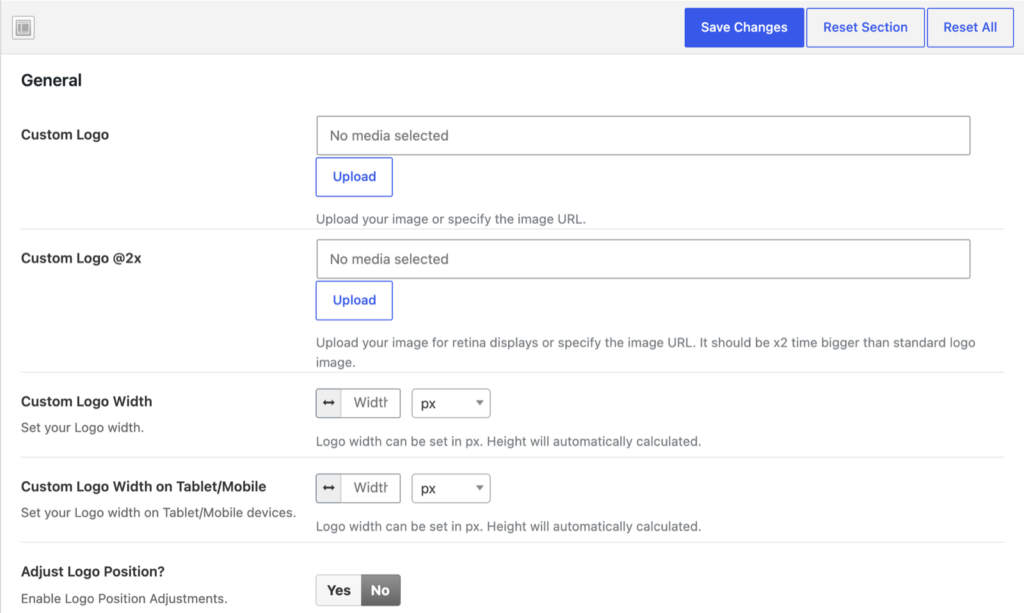
To add your logo, go to Theme Options → General:
- Custom Logo: upload your logo.
- Custom Logo @2x: the same logo twice as big, for retina displays.
- Custom Logo Width and Custom Logo Width on Tablet/Mobile: the width of the logo (the height follows).
- Adjust Logo Position?: move the logo if it needs a nudge.
The logo of the mobile header is set in Custom Logo – Tablet/Mobile in the same section, the logo of the Pushy Panel in Theme Options → Header → Pushy Panel, and the footer logo in Theme Options → Footer → Primary → Footer Custom Logo.