The game header of the Soccer design shows both teams with their logos and the score, and below it the goal scorers and red cards of each team with the minute.
Overview
The [ALC] Soccer game overview template shows:
- Game Timeline: the goals, cards and substitutions minute by minute;
- Video Highlights and Match Statistics;
- the Lineups of both teams;
- Game Information with the venue map;
- Players Overview: the MVP and the leaders of the game;
- Next Rivals: the next game of each team.
Box Score
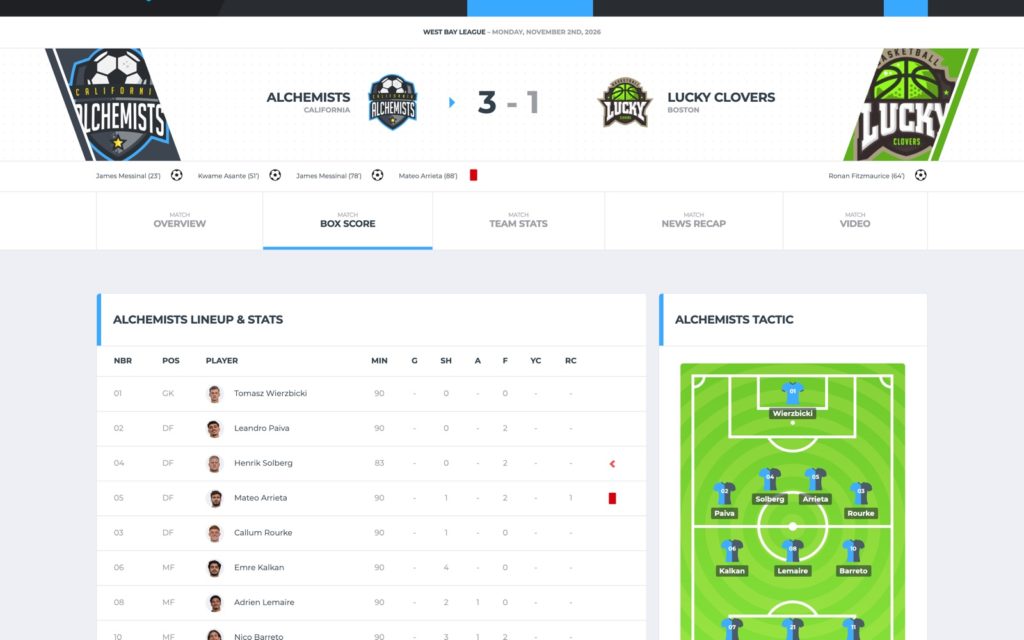
A Lineup & Stats table per team: the starters, the staff and the substitutes, each with the squad number, position, photo, the box score columns and icons for the goals, cards and substitutions of the game. Next to it, the Tactic pitch shows the starting lineup of the team in its formation.
Formations
Set the formation of each team in the Formations box of the game editor (Home team, Away team). It comes with Alchemists Soccer for SportsPress 0.2.0 (Appearance → Install Plugins).
- Choose one of 15 formations, such as 4-4-2, 4-3-3 or 3-5-2. The starting lineup fills the rows in position order: goalkeeper, defenders, midfielders, forwards.
- Automatic (by position), the default, puts the starting players in rows by their positions.
Team Stats
The Match Statistics with the Additional Statistics, the Statistics Chart of each team (the shots, split into on and off goal) and the last games of each team.
Choosing the statistics
Theme Options → SportsPress → Event → Match Statistics sets which statistics the Match Statistics card and the charts show. Leave a field empty for the default of the design:
- Main Statistics: the rows of the table in the middle of the card (default: Shots with Shots on Goal, Corner Kicks, Saves, Yellow Cards, Red Cards);
- Bars: the share of each team (default: Shots, Fouls, Offsides);
- Rings: the percentages of each team (default: Shot Accuracy, Pass Accuracy);
- Additional Statistics: both teams on one bar, on the Team Stats subpage (default: Fouls, Pass Attempts, Pass Success, Key Pass, Dribbles);
- Statistics Chart – Total, Parts and Remainder Label: the ring chart of each team (default: Shots, split into On Goal and Off Goal).
The fields of an ALC: Event Match Statistics element, when filled, win over these settings. The colors of the chart are in Theme Options → Styling → Bars → Statistics Chart.
Short statistic labels
The Soccer demo gives its statistics short labels for the tables (G, A, YC, RC, GP, W%, D%, L%) and their full names as the description (SportsPress → Configure). The glossary below the player statistics tables and the Statistics Chart use the description, so visitors still see the full names.