Alchemists 5.1.0 brings the Extended game pages of the Hockey design to the Soccer and Basketball designs: a full-width game header with the score, a navigation and a subpage for each part of the game. See them live on the Soccer and Basketball demos.
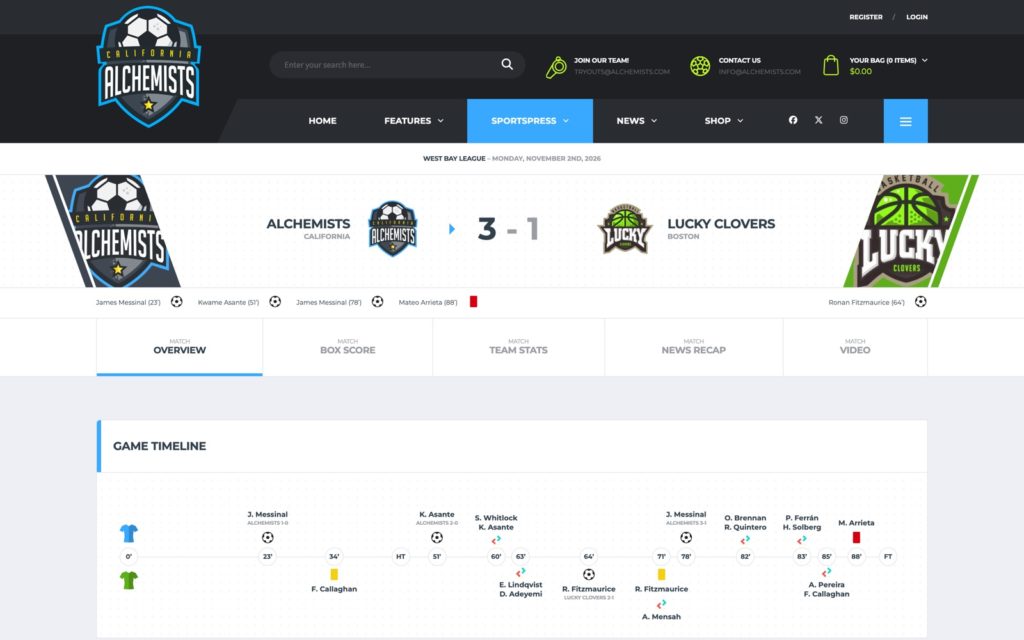
Turning them on
- Go to Theme Options → SportsPress → Event.
- Set Layout to Extended and save.
Classic, the SportsPress game page with all sections on one page, stays the default, so existing sites keep their game pages after the update. The Soccer and Basketball demos (and their Dark versions) use the Extended layout, so importing one of them turns it on.
The subpages
- Overview: the game’s content, built with WPBakery Page Builder. New games start with the overview template of the design, [ALC] Soccer game overview or [ALC] Basketball game overview. Games without content of their own show the same overview automatically.
- Box Score: the players of each team with their game statistics. It follows the Box Score settings of SportsPress.
- Team Stats: the statistics of both teams side by side, with charts.
- News Recap: a blog post about the game. Pick it in the Game Recap box of the game (Recap Article); the subpage is hidden on games without one. The widgets beside the post come from the Game News Recap – Sidebar widget area; when it’s empty, the Sidebar widgets show.
- Video: the video of the game (the SportsPress Video field). YouTube and Vimeo videos play right on the page.
Each subpage has its own address (e.g. /event/name/box-score/). The subpages can be reordered, turned off, relabeled and given other slugs in Theme Options → SportsPress → Event → Event Subpages Layout, with the Subtitle Label (“Match”) and the Navigation Type (Fit, Full Width or Boxed; the demos use Full Width).
Game Information
The Game Information card lists the venue, the competition, the date and the officials of the game. Above them it can show the venue map or a photo of the venue:
- Venue photo: add it in the Photo field of the venue (SportsPress → Venues, Venue Options box) and choose Venue photo in the Map or photo setting of the ALC: Event Match Information element.
- Venue map: needs the coordinates of the venue and the Maps display setting of SportsPress.
The officials (Referee, Linesman) need the Officials module of SportsPress (SportsPress → Settings → Modules), which the Soccer, Basketball and Hockey demo imports turn on.
Page builder elements
The overview templates are made of these elements (ALC tab of WPBakery Page Builder). You can rearrange them or add them to any game’s content:
- ALC: Event Timeline (new): the goals, cards and substitutions of a soccer game on a timeline.
- ALC: Event Lineup (new): the lineup of one team.
- ALC: Event News Recap (new): a card with the recap post of the game.
- ALC: Event Video Recap: the video of the game, played in place, with the video title and the game date over the player.
- ALC: Event Match Statistics, ALC: Event Game Leaders, ALC: Event Latest Encounters, ALC: Event Match Information and ALC: Event Next Rivals, each with its Soccer and Basketball layout.
The details of each design:
- Soccer Game Pages: the timeline, lineups, the tactic pitch with formations and the match statistics.
- Basketball Game Pages: the quarter scoreboard, the box score, the team stats and the match numbers.