Alchemists is translation-ready and comes with Spanish, French, Croatian, Russian and Chinese translations. There are two ways to translate it into your language:
Translation with the Loco Translate plugin
- Install the Loco Translate plugin.
- Follow the plugin’s beginner’s guide.
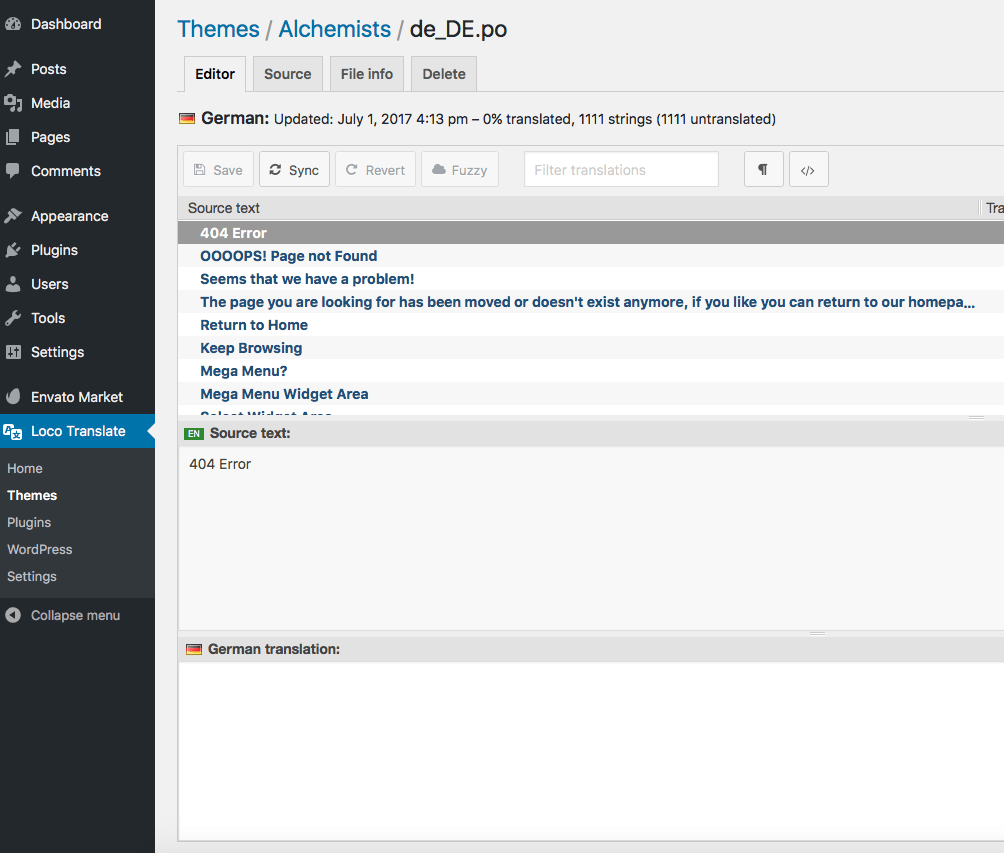
You can find the .POT file in the wp-content/themes/alchemists/languages/ folder.
Translation with the Poedit application
- Download and install Poedit if you haven’t done so already.
- Open
wp-content/themes/alchemists/languages/alchemists.potwith Poedit and translate the strings into your language. - Go to File → Save as… to save your translations in a .po file named with your language code (e.g.
de_DE.po). - Go to File → Compile to MO and save the .mo file next to the .po file.
Updating a translation
After an update, open your .po file and go to Catalog → Update from POT file to add the new strings.
Keeping translation files safe from updates
Put your .po/.mo files in the wp-content/languages/themes/ folder, named alchemists-LOCALE.po and alchemists-LOCALE.mo (replace LOCALE with your language code, e.g. alchemists-de_DE.mo). Files there aren’t touched by theme updates.