The favicon (WordPress calls it the site icon) is the small image shown in browser tabs, bookmarks and on phone home screens. No file editing is needed — the theme uses whatever icon you set in WordPress.
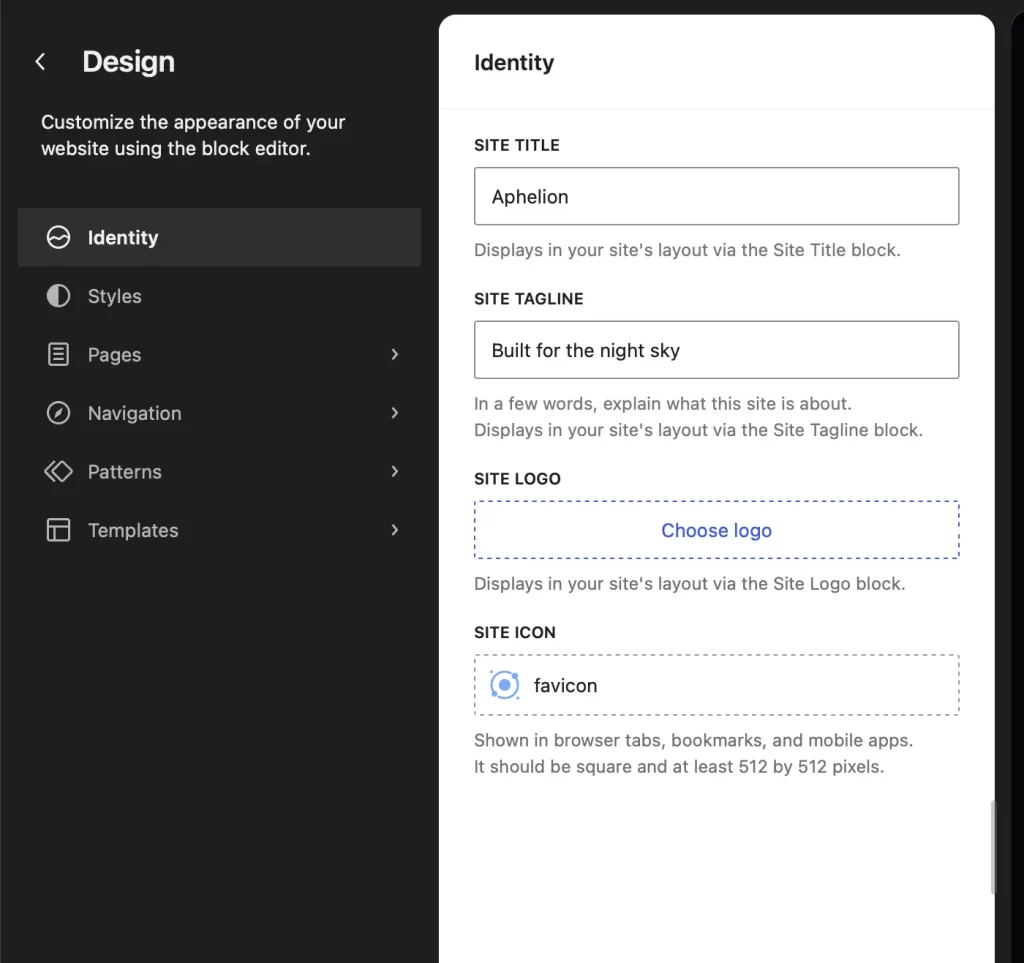
- Go to Appearance → Editor → Identity (WordPress 7.1 or later).
- In the site icon field, upload a square image at least 512 × 512 pixels. WordPress will offer to crop it if it isn’t square.
- Click Save.
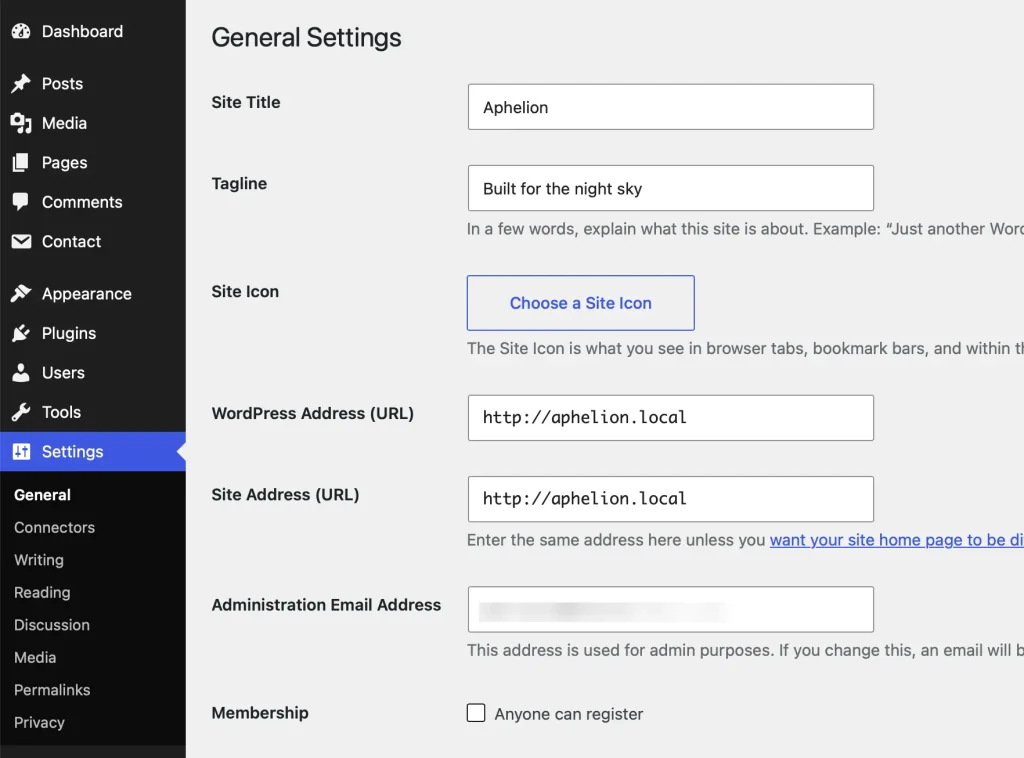
On older WordPress versions, the same setting lives under Settings → General → Site Icon. A simple, high-contrast mark reads best at favicon size — fine detail disappears at 16 pixels.