Introduction
This theme is built with Full-Site Editing (FSE), a modern approach to WordPress theme customization that allows users to edit the entire website using the Site Editor. With FSE, you can modify layouts, colors, typography, and other design elements without touching any code.
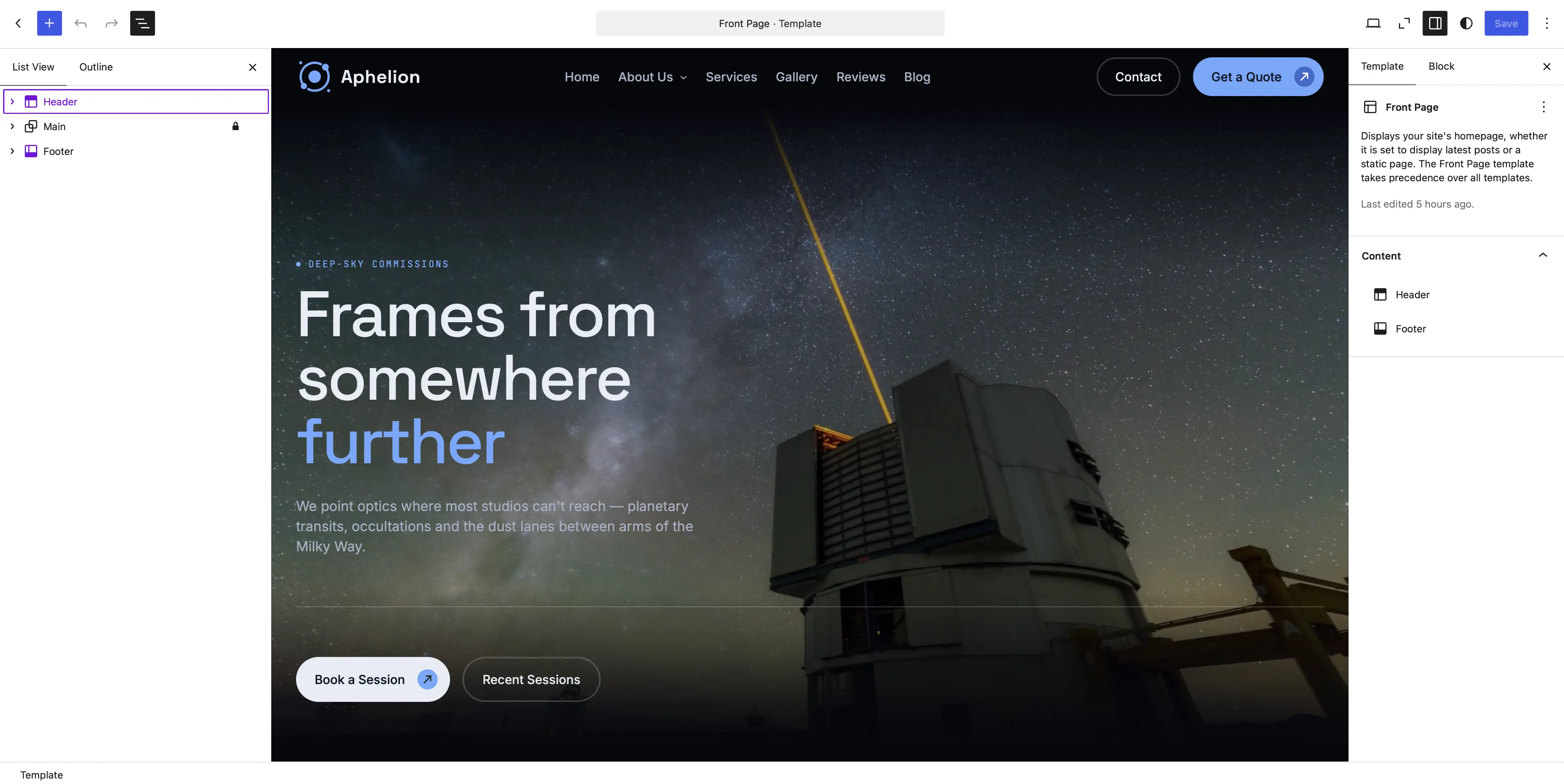
Accessing the Site Editor
To customize your website, follow these steps:
- Log in to your WordPress dashboard.
- Navigate to Appearance > Editor.
- The Site Editor will open, allowing you to edit templates, template parts, and global styles.
Customizing Templates and Template Parts
FSE allows you to modify predefined templates and template parts to create a unique website design:
- Templates: Control the layout and design of specific pages, such as the homepage, archive pages, and single posts.
- Template Parts: Manage reusable sections like headers and footers.
To customize a template:
- Open Appearance > Editor.
- Click on Templates and select the template you want to edit.
- Use the block editor to add, remove, or adjust blocks.
- Click Save to apply changes.
Global Styles (Styles Panel)
With the Styles panel in the Site Editor, you can change the design of your entire site:
- Modify typography settings (fonts, sizes, line heights, etc.).
- Adjust colors for backgrounds, text, and links.
- Customize button styles, spacing, and other design elements.
To access global styles:
- Open the Site Editor.
- Click the Styles button (paintbrush icon).
- Customize styles and click Save.
Block Patterns and Reusable Blocks
The theme includes predefined Block Patterns that help you quickly build professional layouts. Additionally, you can create Reusable Blocks to maintain consistency across multiple pages.
- To use a Block Pattern: Open the block inserter (+ button), navigate to the Patterns tab, and select a pattern.
- To create a Reusable Block: Select a block, click the three-dot menu, and choose Create Reusable Block.
Conclusion
Full-Site Editing provides a powerful and flexible way to customize your website without coding. By utilizing templates, global styles, block patterns, and the Site Editor, you can create a unique design that fits your brand.